01 · Compliance
Audit the RM submission
Walk the Schedule 15.2 and Guidelines 6A-7B catalogue on every run. Record Pass, Fail, N/A and Gap with the evidence beside the result.
For NZ electricity traders
TOU Router™ audits every Reconciliation Manager submission against Schedule 15.2 and Guidelines 6A-7B. A daily issues register feeds early fixes and Gap close-out. NZX AV reports and network invoice files come out as Outputs of the same run.
How it fits
The run has a clear order. Audit is the control. Issues are the work to resolve. NZX AV files and network invoice files are outputs of that controlled run.
01 · Compliance
Walk the Schedule 15.2 and Guidelines 6A-7B catalogue on every run. Record Pass, Fail, N/A and Gap with the evidence beside the result.
02 · Issues
Use the issues register to investigate exceptions, close Gaps and keep the operator trail together before due day or audit handover.
03 · Outputs
Build NZX AV submissions and network invoice files from the validated portfolio month - outputs of the run, not separate product stories.
01 · Compliance
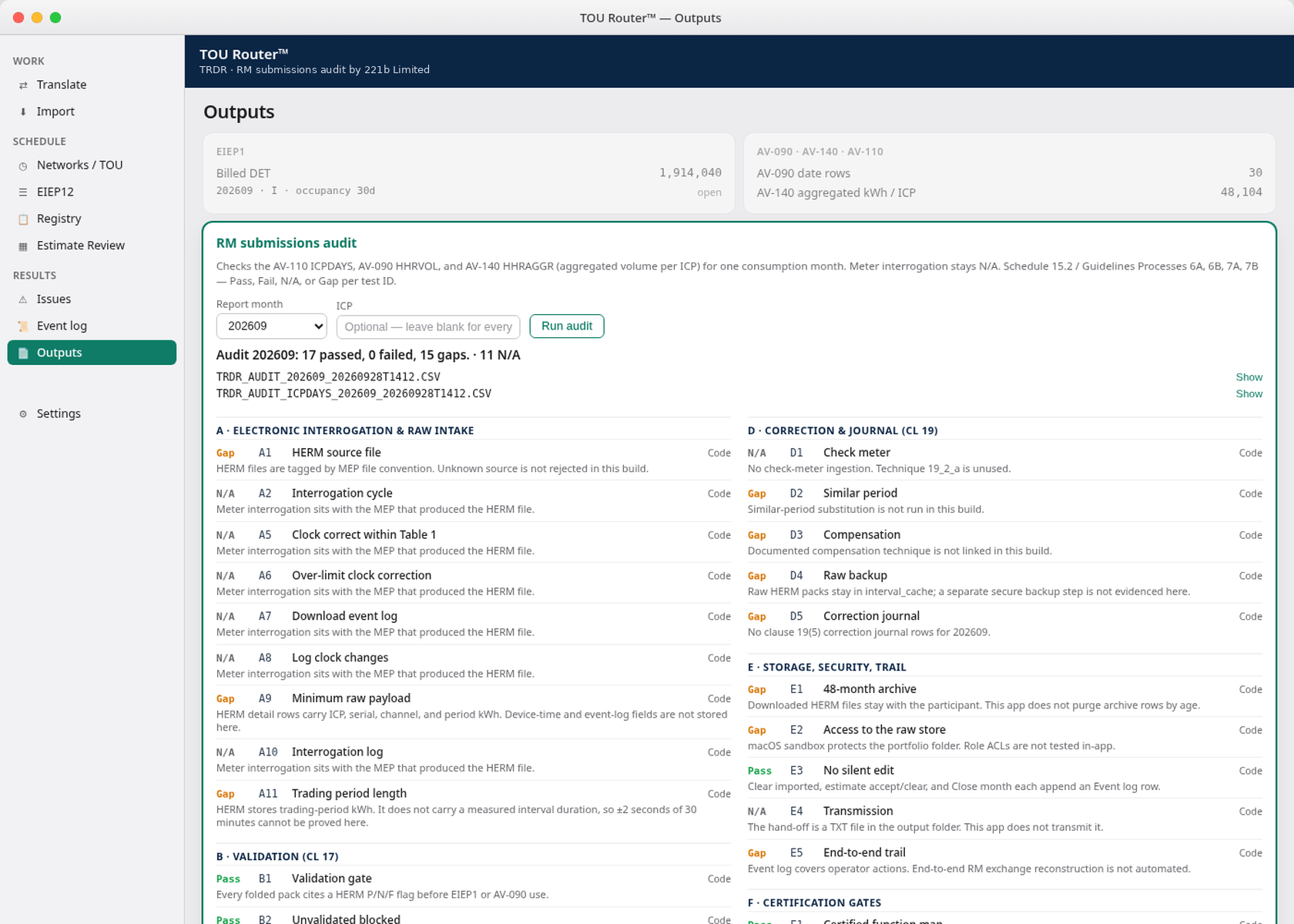
Built-in audit walks the full Schedule 15.2 / Guidelines 6A-7B catalogue against each submission. Results are Pass, Fail, N/A or Gap. Gaps stay honest until they are investigated, evidenced and closed.
The audit sits where the submission is built, so compliance is part of the work rather than an annual reconstruction.
Proven checks Pass. Failed checks Fail. Out-of-scope work is N/A. Missing evidence stays visible as a Gap.
Export the result for the audit pack, with a repeatable record for the portfolio month.
Annual EA scramble is not a compliance system. TOU Router™ puts the audit into every RM submission run.
02 · Issues
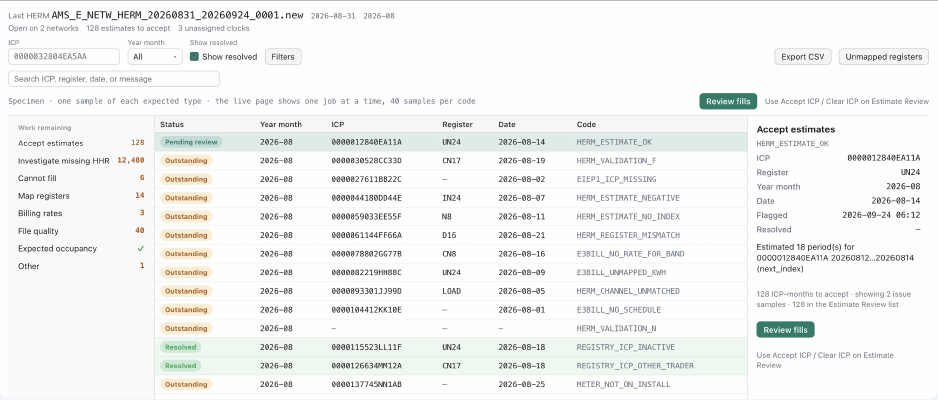
The issues register supports the compliance run. It gives operators one place to find the exceptions behind Fail and Gap results, fix what can be fixed, and preserve the decision trail.
Surface ICP and participant timing problems that can affect the month.
Find missing or stale half-hour data before it reaches the submission.
Review network invoice mappings and exceptions against the portfolio.
Catch meter registers mapped to the wrong price component code.
03 · Outputs
Once the portfolio month has been checked and its issues worked, TOU Router™ produces the files the operational process needs.
Output A
Build the portfolio AV reports from validated ICP half-hour data for the reconciliation period.
AV-140 is aggregated volume per ICP. ICP days are AV-110.
Output B
Network invoice files from the same controlled portfolio month - mapping and register checks already worked in Issues.
Network invoices are a run output - compliance and issue resolution come first.
In the app
Operators see the full catalogue result in Outputs, with the status and basis on each finding. The audit CSV, supporting Issues and run outputs stay in the same desktop workspace.
Example portfolio month · RM submissions audit · Schedule 15.2 / Guidelines 6A-7B
Architecture on purpose
TOU Router™ is a desktop application for reconciliation and network billing operators. Portfolio files, audit results, NZX AV files and network invoice outputs stay on machines you control.
Submission files, registry extracts and audit evidence stay on your hardware and inside your operational controls.
Compliance, its supporting Issues and the resulting Outputs stay together for the portfolio month.
Built by people who work with Registry codes, reconciliation revisions, interposed arrangements and Schedule 15.2.
221b Limited
See the compliance run, the Issues that support it, and the NZX AV and network invoice Outputs it produces. Or ask about a short pilot on one reconciliation period.
Malcolm Souness · Director, 221b Limited
221b.co.nz · NZBN 9429042009948